Exploring Firebase Studio: A Powerful No Code Tool
TL;DR
Firebase Studio just launched as a free no code tool. It's fully integrated with Google’s backend, supporting multiple languages and using top models like Gemini 2.5. Dive into my first look!
Key Takeaways
- 1Firebase Studio launched as a free, no code tool integrated with Google.
- 2Initial impressions show support for languages like Python and Java.
- 3Users can build mobile apps with tools like React Native and Expo Go.
- 4Integrates Gemini 2.5 for advanced language modeling.
- 5There's significant potential using Google's API integrations.
- 6The current build is early; improvements are expected as development continues.
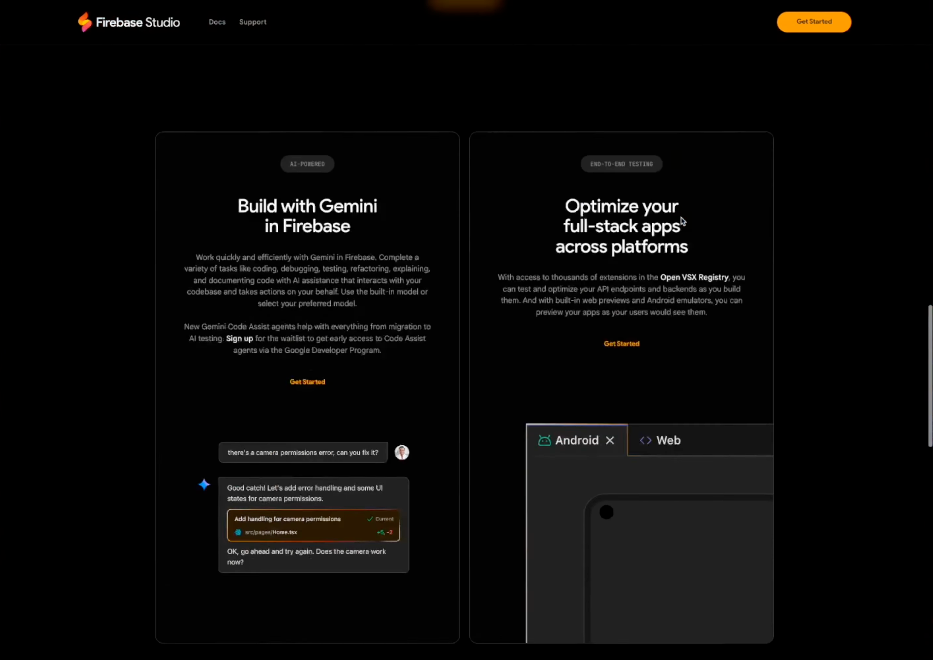
Google just dropped a bombshell with Firebase Studio. It's a completely free, no code tool. I've never opened it before, so let's explore this tool together. I hear it's fully integrated with Google's backend, allowing code in various languages while offering top language models like Gemini 2.5.
First Impressions of Firebase Studio
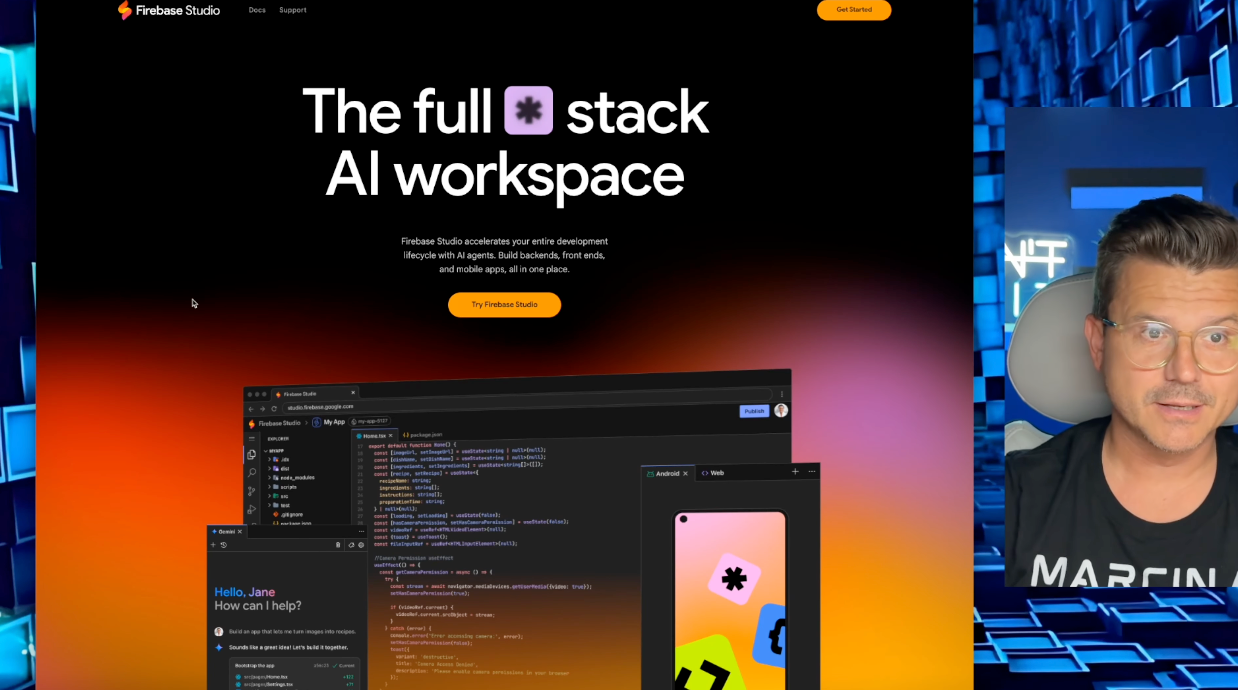
I decided to try out Firebase Studio and see what it's all about. It's like other IDEs we're familiar with, but with a unique twist. Firebase Studio allows us to write in languages like Python, Java, and more. I was impressed to see support for Android Studio Cloud and React Native, which is perfect for mobile apps. This integration might be a game-changer.
Setting Up the Development Environment
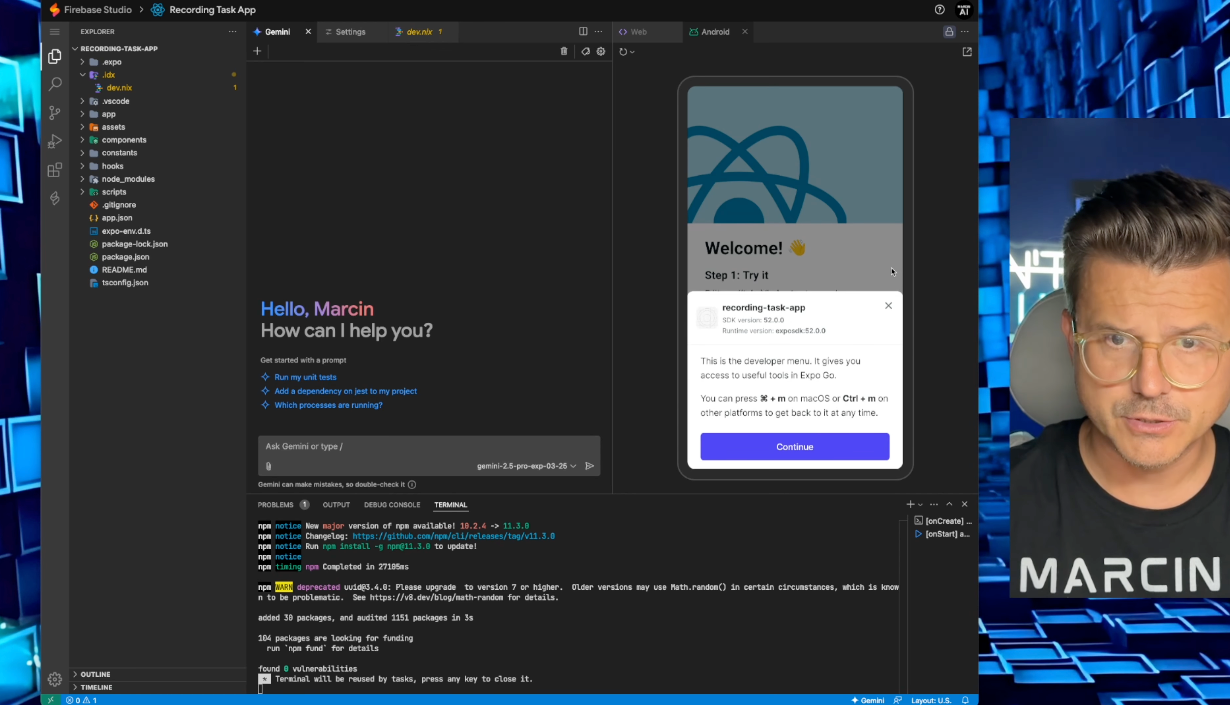
The setup process involved linking the Gemini API and inputting an API key, which was pretty straightforward. I went ahead to create an audio task app as a test. The app was to include an audio function and a to-do list. Once everything set up, it began working with an Expo development server.
Building and Testing the App
Creating the app was interesting. I could literally just input my needs and let Firebase Studio build it. After crafting the app, it was time to test. It used localhost to preview, and surprisingly, the app had the audio feature I requested. However, the initial design wasn't quite appealing. A quick reskin attempt improved it a bit, but there’s room for development.
Final Thoughts on Integrating Google and Gemini
The fact that Firebase Studio integrates Google with Gemini 2.5 gives it immense potential. Imagine harnessing the power of Google APIs and all their search capabilities. Although the current build wasn't perfect, the tool is promising for developers who want to leverage these features.
Overall, Firebase Studio is early in its development, yet rich in options for building applications. Try it yourself on firebase.studio, and let me know what you think.
Want to build this yourself?
Join 495+ non-technical builders in AI Builders. Start your free trial today.
Frequently Asked Questions
Firebase Studio is a free no code tool from Google for building applications with integrated backend support.
Marcin Teodoru
AuthorHollywood filmmaker turned AI educator. I help non-technical people build real apps with AI — no coding required. 455K+ on TikTok, 37K+ on YouTube. Founder of AI Builders, the fastest-growing VibeCoding community in the world.
Want More Tutorials Like This?
Get AI app building guides, tool reviews, and tips delivered weekly. Join 10,000+ builders.
No spam. Unsubscribe anytime.
Stop Watching. Start Building.
AI Builders is the #1 community for non-technical people building real apps with AI. Step-by-step lessons. Weekly calls. Real results.
$49/mo after trial · Cancel anytime · 450+ members
Related Tutorials

No-Code App Development Software: 5 Buying Criteria and What It Really Costs
No-code app development software explained: the 5 buying criteria that decide your pick, plus verified 2026 prices for Bubble, Zite, Softr and FlutterFlow.
Best No-Code AI App Builders in 2026: Bubble vs Zite
The best no-code AI app builders in 2026, compared honestly. Bubble vs Zite — pros, cons, pricing, and who each one suits best, in plain language.
What Is No-Code AI? A Beginner's Guide
What is no-code AI? A beginner's guide to building apps with AI without writing code — how it works, who it's for, the best free tools, and the honest limits.

How to Set Up OpenClaw: Non-technical Users' Guide 2026
Set up OpenClaw in 15 minutes with our step-by-step guide. Learn what real people are building—from automated CRMs to AI personal assistants—plus security tips and resources.