Building a Smart AI Cooking App with React Native
TL;DR
In this blog, I walk you through building an AI-powered app that creates recipes based on a photo of your fridge. Using React Native and Expo, you'll learn how to launch a mobile app into the app stores. It's an exciting journey into AI-driven kitchen solutions without the hassle of cooking.
Key Takeaways
- 1Utilize AI to generate recipes by analyzing fridge content photos.
- 2React Native and Expo provide an amazing framework for cross-platform app development.
- 3Incorporate Google API for strong image recognition capabilities.
- 4Set up Git to manage version control and track changes.
- 5Develop social and grocery integration features for community building.
If you're like me, you love going out to eat but aren't too keen on cooking at home. This project is all about transforming your fridge into a smart culinary assistant by using the power of AI. We're building an app that lets you snap a picture of your fridge. Then, my AI will analyze the ingredients and suggest custom recipes. This is fully powered by React Native and Expo, allowing you to launch it on the Apple App Store and Google Play Store.
Setting Up the Development Environment
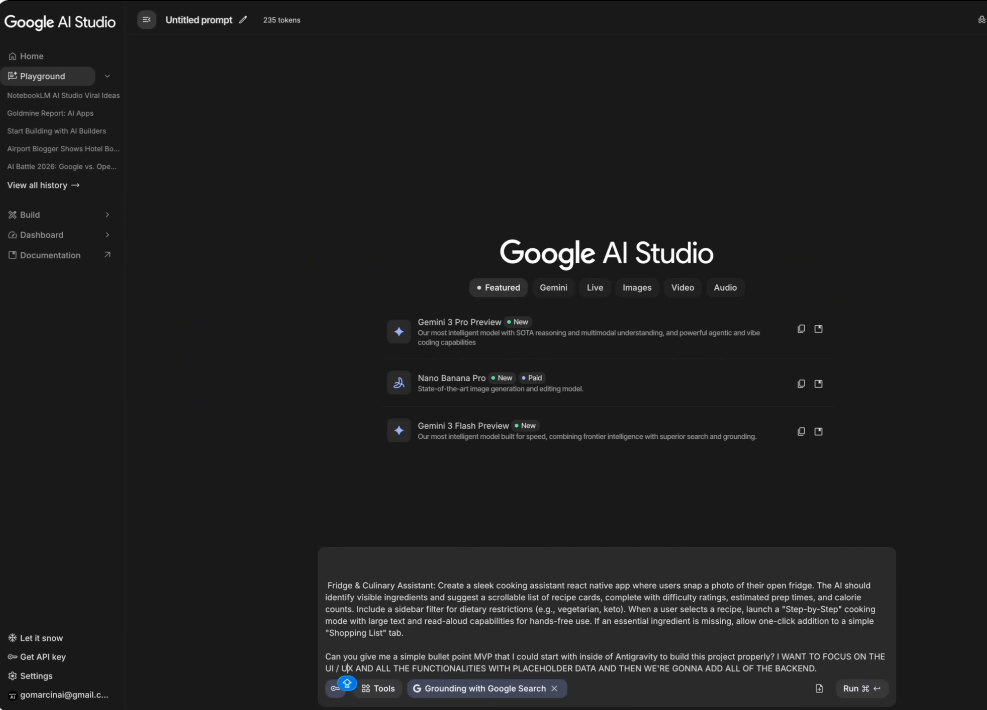
To get this started, we're using Anti-Gravity, a Google-based IDE that sits right on your computer. Unlike web-based tools, it provides a seamless development experience. First, we define our MVP (Minimum Viable Product) within Anti-Gravity. It’s crucial to focus on the UI and all the functionalities using placeholder data before connecting the backend. This step ensures everything from folder structure to routing is perfectly set up.
Building with React Native and Expo
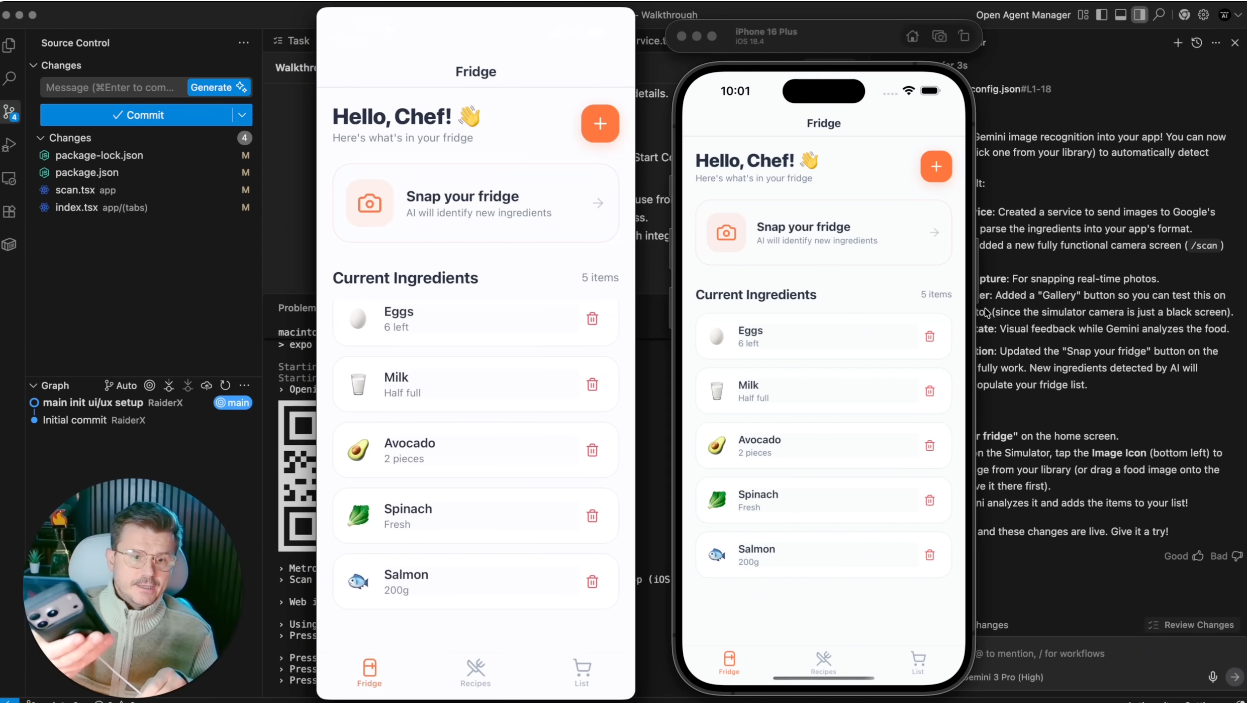
React Native combined with Expo offers a robust structure ideal for cross-platform applications. Setting up Expo is straightforward and free, which is fantastic for pushing your project. We'll be leveraging Expo's libraries to build a full stack framework suitable for app store submission. I shared insights on the dashboard, enabling us to navigate the step-by-step checklist to build navigation and dashboard effectively.
Integrating AI for Smart Cooking Suggestions
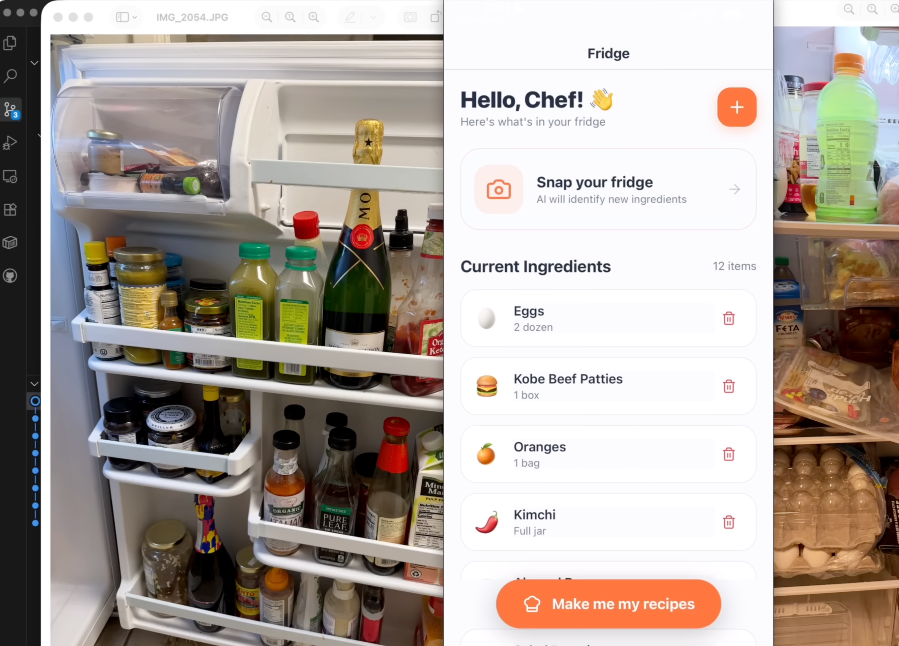
The highlight of our app is its AI capability, which uses image recognition to suggest recipes from your fridge's contents. By incorporating the Google API, we can enable in-depth image analysis. Setting up Git is vital for version control as we deploy and test on actual devices. This process reveals errors before live deployment, making sure everything works smoothly.
Creating and Social Sharing Features
After perfecting ingredient detection, the next step is adding a "Make me my recipes" button. Once clicked, the app will suggest five recipes based on the available ingredients. This innovation doesn't just stop here. We're integrating a social component where users can share recipes on a community feed, alongside adding potential grocery delivery integration for missing ingredients.
Using React Native and Expo, we’re crafting a sophisticated yet user-friendly app that reflects your kitchen needs smartly. Stay tuned for part two, where we'll finish features and take it to app stores.
Want to build this yourself?
Join 495+ non-technical builders in AI Builders. Start your free trial today.
Frequently Asked Questions
The app creates custom recipes by analyzing photos of fridge contents, making meal planning easier.
Marcin Teodoru
AuthorHollywood filmmaker turned AI educator. I help non-technical people build real apps with AI — no coding required. 455K+ on TikTok, 37K+ on YouTube. Founder of AI Builders, the fastest-growing VibeCoding community in the world.
Want More Tutorials Like This?
Get AI app building guides, tool reviews, and tips delivered weekly. Join 10,000+ builders.
No spam. Unsubscribe anytime.
Stop Watching. Start Building.
AI Builders is the #1 community for non-technical people building real apps with AI. Step-by-step lessons. Weekly calls. Real results.
$49/mo after trial · Cancel anytime · 450+ members
Related Tutorials

No-Code App Development Software: 5 Buying Criteria and What It Really Costs
No-code app development software explained: the 5 buying criteria that decide your pick, plus verified 2026 prices for Bubble, Zite, Softr and FlutterFlow.
Best No-Code AI App Builders in 2026: Bubble vs Zite
The best no-code AI app builders in 2026, compared honestly. Bubble vs Zite — pros, cons, pricing, and who each one suits best, in plain language.
What Is No-Code AI? A Beginner's Guide
What is no-code AI? A beginner's guide to building apps with AI without writing code — how it works, who it's for, the best free tools, and the honest limits.

How to Set Up OpenClaw: Non-technical Users' Guide 2026
Set up OpenClaw in 15 minutes with our step-by-step guide. Learn what real people are building—from automated CRMs to AI personal assistants—plus security tips and resources.