Building a Native Swift iOS App with No Code and AI
TL;DR
I built a native Swift iOS application without coding a single line, using AI. In this guide, I'll show you how I used Xcode and no code tools to create a hotel booking app from scratch. It's simpler than you think!
Key Takeaways
- 1Successfully built a native Swift iOS app without coding manually.
- 2Set up involved integrating both Xcode and Cursor.
- 3The light API was used to access live hotel data.
- 4Swift UI allows crafting intuitive interfaces.
- 5Testing through a simulator ensures functionality with live data.
I honestly can't believe what I'm about to tell you is true, but I just built a native Swift iOS application using no code, 100% with AI. I did the mirror method where you take Xcode and Cursor and actually use Cursor to do all of your no-code vibe coding without writing a single line of code.
Setting Up Your Development Environment
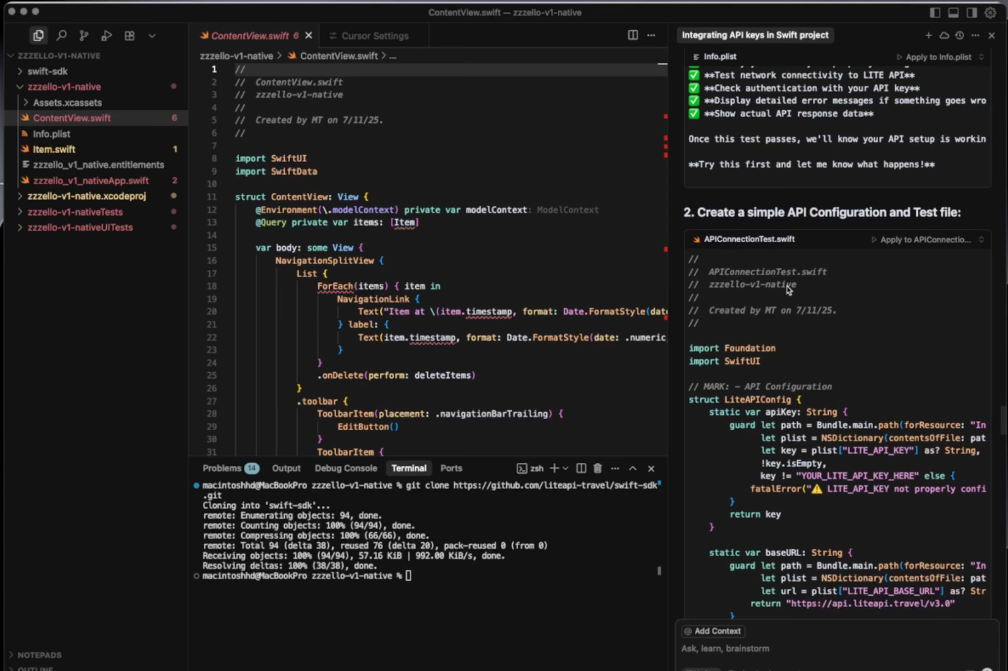
First things first, you need to set up Xcode and Cursor for development. Open Xcode, create a new project and set the environment for a new Swift iOS application. This setup is crucial because it forms the backbone of your project, letting you use tools like the light API to integrate live hotel data.
Once Xcode is ready, you move to Cursor. Here is where the magic happens—using Cursor as a no-code editor allows you to handle all the coding requirements without manually writing them yourself.
Integrating Light API
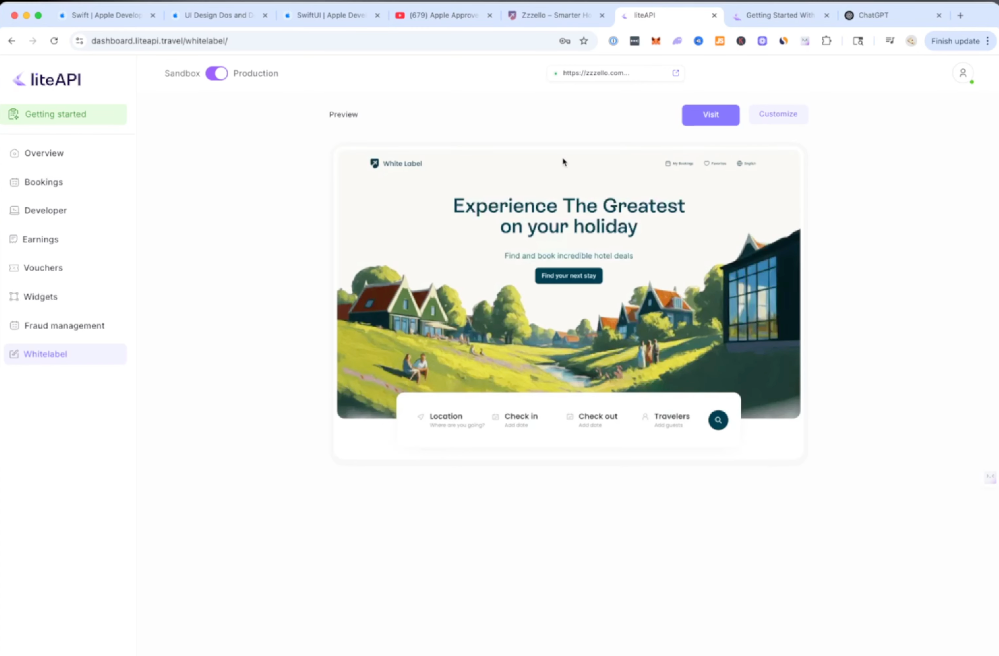
Integrating the light API is another critical step. This API grants access to over 2 million hotel data points worldwide, which will be essential for your application's backend. Setting it up involves navigating the API documentation carefully and ensuring all endpoint connections are established within the light API SDK.
Building User Interface with Swift UI
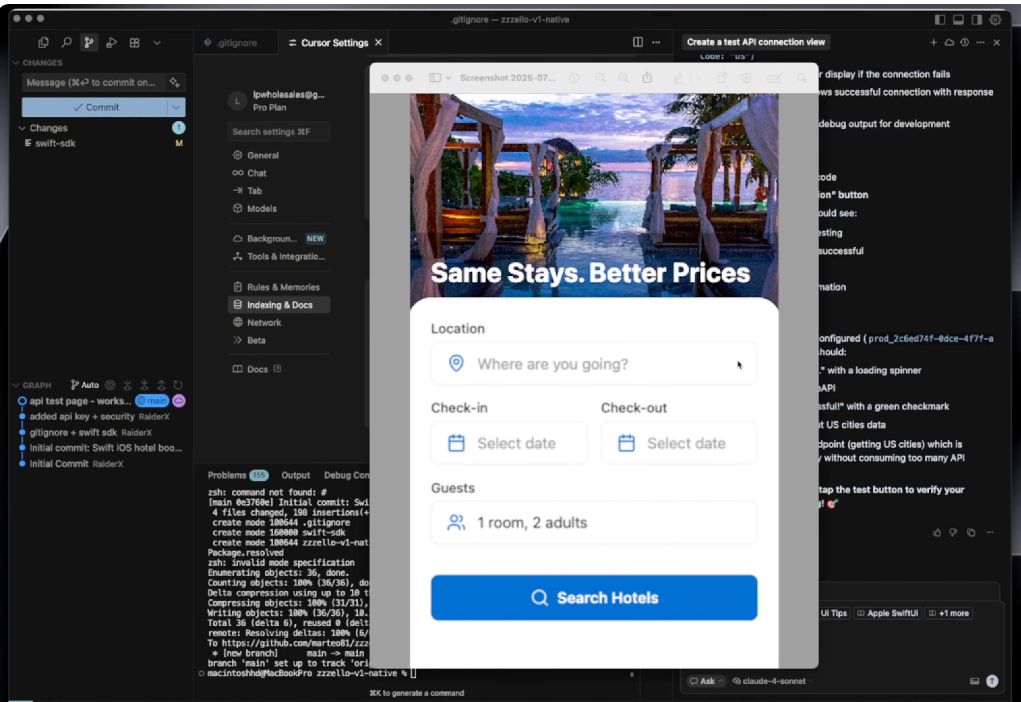
Next comes the UI—Swift UI enables you to construct a user-friendly interface quickly. The user interface must be intuitive, allowing users to search for cities, check-in dates, check-out dates, and the number of rooms and adults on the booking application.
By leveraging the Swift UI, you can create buttons, search fields, and other navigation elements that feel native to an iOS application. It’s about blending functionality with a sleek aesthetic that users appreciate.
Executing Navigation and Additional Features
Once the basics are in place, developing the navigation system is key. The bottom navigation should include options like Search, Trips, Explore, and Profiles. This structure gives users a seamless way to navigate through different app sections.
As you continue to refine the application, make sure to test every feature in an iOS simulator to ensure it interacts correctly with the live data using the API. The debugging phase is crucial to ensure all endpoints and UI elements work as intended.
Finally, with the right setup, patience, and willingness to troubleshoot issues as they arise, you can successfully build a native Swift iOS application using no code and AI.
Want to build this yourself?
Join 495+ non-technical builders in AI Builders. Start your free trial today.
Frequently Asked Questions
The mirror method involves using tools like Xcode and Cursor to code applications without manually writing the code yourself.
🔧 Tools Mentioned in This Video
Some links above are affiliate links. I may earn a commission at no extra cost to you.
Marcin Teodoru
AuthorHollywood filmmaker turned AI educator. I help non-technical people build real apps with AI — no coding required. 455K+ on TikTok, 37K+ on YouTube. Founder of AI Builders, the fastest-growing VibeCoding community in the world.
Want More Tutorials Like This?
Get AI app building guides, tool reviews, and tips delivered weekly. Join 10,000+ builders.
No spam. Unsubscribe anytime.
Stop Watching. Start Building.
AI Builders is the #1 community for non-technical people building real apps with AI. Step-by-step lessons. Weekly calls. Real results.
$49/mo after trial · Cancel anytime · 450+ members
Related Tutorials

No-Code App Development Software: 5 Buying Criteria and What It Really Costs
No-code app development software explained: the 5 buying criteria that decide your pick, plus verified 2026 prices for Bubble, Zite, Softr and FlutterFlow.
Best No-Code AI App Builders in 2026: Bubble vs Zite
The best no-code AI app builders in 2026, compared honestly. Bubble vs Zite — pros, cons, pricing, and who each one suits best, in plain language.
What Is No-Code AI? A Beginner's Guide
What is no-code AI? A beginner's guide to building apps with AI without writing code — how it works, who it's for, the best free tools, and the honest limits.

How to Set Up OpenClaw: Non-technical Users' Guide 2026
Set up OpenClaw in 15 minutes with our step-by-step guide. Learn what real people are building—from automated CRMs to AI personal assistants—plus security tips and resources.